

Spring Cleaning Isn't Just for Your House
Spring Cleaning for Your Silicon: A Northern Utah Tech Guide
By Tyson Wilcox | Utah Tech Repair
As the snow finally retreats from the Wasatch Front and the spring runoff begins, the tradition of "Spring Cleaning" usually leads us to scrub baseboards in Provo or clear out garages in Salt Lake City. But there is one hardworking member of your household that is likely choking on a winter’s worth of dust: your computer.
Whether it’s a high-end gaming rig or the laptop you use to run your business, physical maintenance is just as critical as software updates. In our unique high-desert climate, tech faces some specific environmental challenges that make a yearly deep clean mandatory.
The Silent Performance Killer: High-Desert Dust
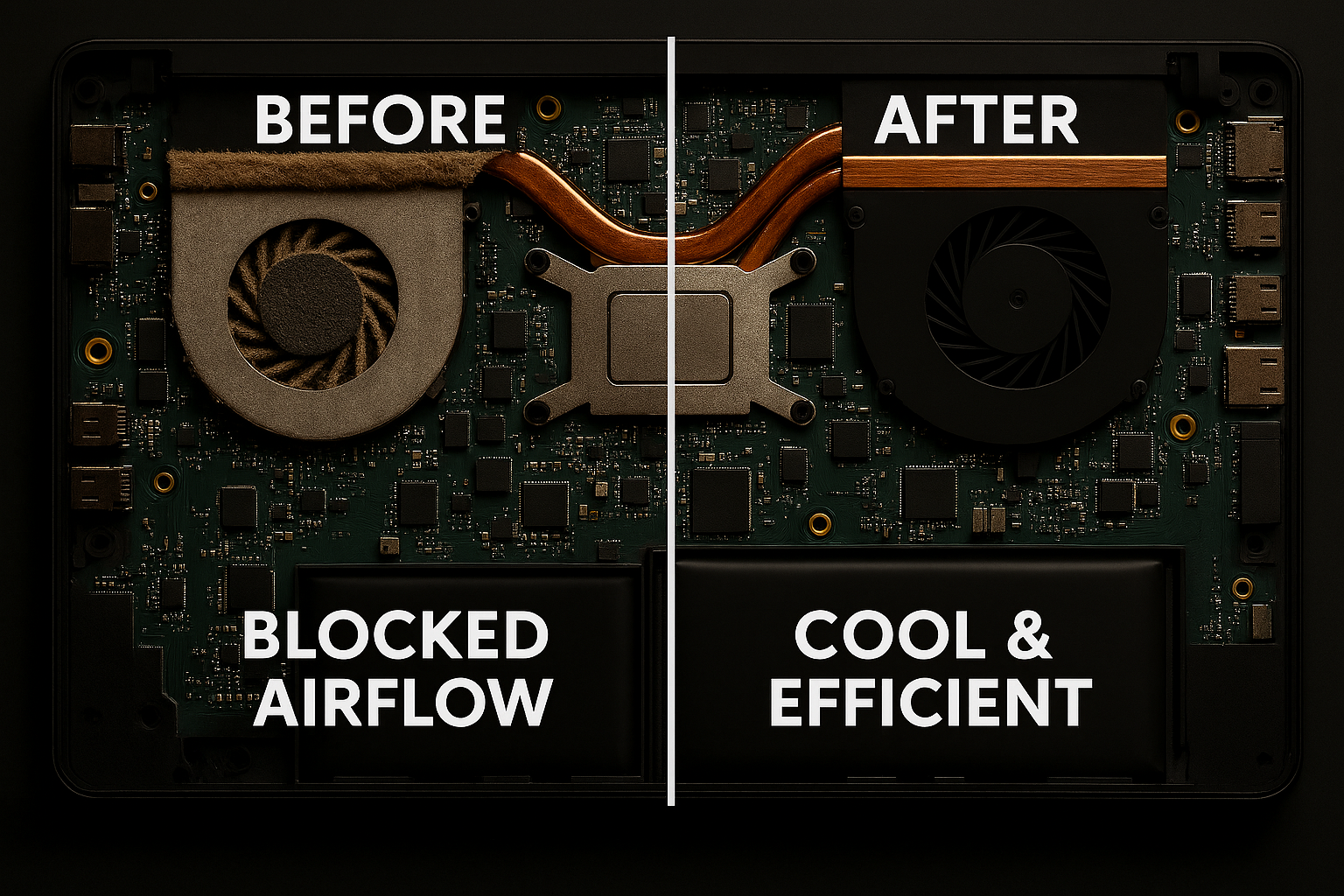
Living in the Salt Lake Valley or Utah County means dealing with fine, alkaline dust that seems to find its way into every crevice. We think of computers as purely digital, but they are physical machines that "breathe." To keep those powerful processors cool, fans pull air in—and with that air comes dust, pet hair, and lint from our dry Utah air.
Over time, this debris builds up on the delicate fins of your heat sinks. This leads to thermal throttling, where your computer intentionally slows itself down to prevent its own hardware from melting. If your fans sound like a jet engine taking off just to open a web browser, your "silicon lungs" are likely clogged.
Why "Spring Cleaning" Your Tech Matters
- Extended Hardware Lifespan: Heat is the number one enemy of electronics. By keeping your system cool, you prevent premature failure of your motherboard and GPU.
- Combatting Static: Utah’s low humidity increases static electricity. A thick layer of dust can actually hold a static charge, which is a risk to sensitive internal components.
- Noise Reduction: Clean fans don’t have to spin at 100% capacity to move air, leading to a much quieter home office or gaming setup.
- Peripheral Hygiene: Your keyboard and mouse are among the most-touched surfaces in your home. A quick sanitization goes a long way for your own health!
Your 3-Step Cleaning Checklist
If you’re tackling your tech this spring, follow these professional basics:
- The Power Down: Always unplug your machine and, if it's a desktop, flip the physical switch on the power supply.
- Compressed Air is King: Use short bursts of canned air to blow dust out of the case. Pro Tip: Hold your fan blades still with a finger while blowing air on them; letting them spin freely at high speeds can damage the bearings or generate static.
- Microfiber & Isopropyl: Never use window cleaner or water on your screens or boards. Use 70% or higher Isopropyl alcohol on a microfiber cloth for the exterior and keycaps.
When to Call in a Pro
Sometimes, a can of air isn't enough. If your laptop is running hot and you aren't comfortable opening the chassis, or if your desktop needs a full thermal paste repaste, it might be time for a professional tune-up.
Just like you might hire a service to deep-clean your carpets, having a technician perform a teardown and ultrasonic cleaning can make an old machine feel brand new again. From Logan down to Santaquin, keeping our tech clean helps it survive the heat of the coming Utah summer.
Schedule Your Tune-Up
Ready to get your system running cool again? Fill out the form below to get started: